
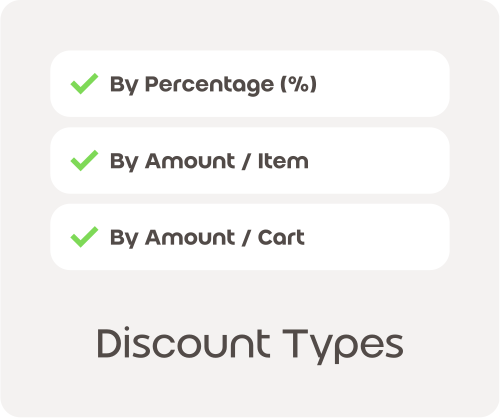
Want native coupons that apply automatically or start on exact dates? WooDonkey upgrades your WooCommerce coupon management with automated cart applying, precise scheduling, stacking control, and free gift options.
100 Free AI Credits Included. No credit card required.

Core Capabilities
- Native coupon scheduling controls
- Effortless auto-apply discounts
- Selective coupon stacking and free gifts.
- Advanced cart stacking rules
- Selected coupon stacking
- Percent off original price
- Zero local site slowdowns
Heavy discount plugins slow down your checkout line
Old WooCommerce coupon extensions add clumsy, unoptimized code to your cart pages. When a customer tries to apply a code or complete their purchase, your local hosting server struggles to calculate the limits, exclusions, and stacking rules, making the screen freeze and causing buyers to abandon their shopping carts.
Take Complete Control of Your Store Discounts
Fine-tune your sales criteria, limit coupon exploitation, and build attractive cart promotions that look completely natural on your storefront with total peace of mind.
Smooth Voucher Redemptions That Feel Natural
Provide a seamless shopping experience where discounts apply instantly on screen without breaking your layout or confusing your buyers.
Ready to Boost Sales with Smart Coupons?
Stop wrestling with legacy WordPress discount plugins. Upgrade your WooCommerce operations today with WooDonkey and streamline your native coupon management.
No credit card required. Cancel anytime.
FAQ
You can precisely schedule your promotions to start and end at exact times in your store’s timezone. This ensures your sales events, like flash sales or holiday deals, activate and deactivate exactly when you intend, maximizing their impact and preventing any premature or lingering discounts. Your customers will always see the correct pricing at the right moment, enhancing trust and clarity.
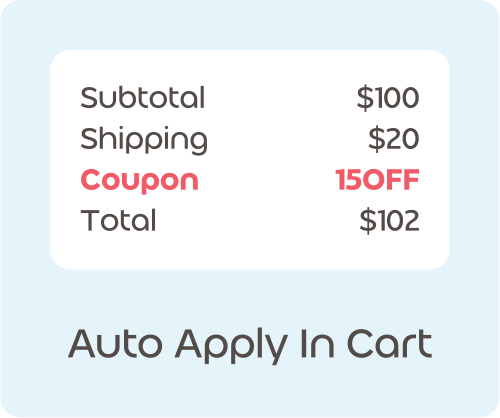
Yes, you can set up coupons to apply themselves directly in the shopping cart when specific conditions are met. This removes the need for shoppers to remember or type in a code, streamlining their checkout process. It reduces friction, helps prevent abandoned carts, and ensures customers receive their intended discount without extra effort, improving their overall shopping experience and conversion rates.
Offering free gift products at zero cost is an excellent way to incentivize purchases and delight your customers. When a coupon applies, a chosen product can automatically be added to the cart as a gift. This strategy helps you increase average order value, encourage sales of specific items, or simply show appreciation to your loyal shoppers, boosting customer satisfaction and repeat business.
Absolutely. You can configure your free gift offers to be highly targeted. For example, a customer might receive a specific gift only if they have certain qualifying products already in their cart. This allows you to create precise promotions, such as a bonus item with a new collection, ensuring your gifts are relevant and effective in driving sales for particular products and clearing inventory.
Smart Coupons are built directly into WooDonkey, meaning you do not need to install or manage separate coupon plugins. This simplifies your store’s backend, reduces potential conflicts, and keeps all your promotional tools in one place. You gain a streamlined and reliable way to manage all your sales, gifts, and campaigns without added complexity, saving you time and effort.
You can set up gift coupons that automatically apply and add a free product only when a customer has a designated trigger product in their cart. This ensures your special offers are always relevant to the customer’s current shopping choices. It is perfect for cross-selling or promoting new items by pairing them with a related bonus, encouraging targeted purchases and increasing basket size.
By enabling coupons to auto-apply in the cart, you remove a common barrier to checkout completion. Shoppers do not have to search for or manually enter codes, which can sometimes lead to frustration or distraction. This smooth, automatic application ensures they receive their discount effortlessly, making the purchase decision easier and reducing the likelihood of them leaving their cart unfinished.
Yes, Smart Coupons are ideal for all your seasonal and holiday promotions. You can set precise start and end dates and times for each coupon, aligning perfectly with specific events like Black Friday, Cyber Monday, or a summer sale. This ensures your campaigns run exactly as planned, maximizing urgency and sales during peak shopping periods without manual intervention.
No, you do not need any additional plugins for advanced coupon features like auto-application or free gifts. Smart Coupons are a native capability within WooDonkey. This means you have powerful promotional tools readily available, integrated seamlessly with your store, without the need for third-party extensions or the complexities of managing multiple plugins, ensuring stability and ease of use.
You can encourage customers to increase their order value by setting conditions for auto-applied coupons or free gifts. For example, offer a free gift only when a cart reaches a certain value, or a discount only when specific products are included. This motivates shoppers to add more items to their cart to qualify for the special offer, boosting your overall sales and average order value.