
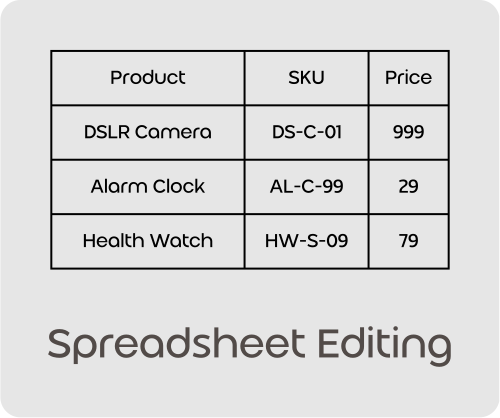
Forget about slow, clunky spreadsheet plugins that freeze your site and time out your server. Update prices, stock and product details in seconds in a beautiful dashboard that just works.
100 Free AI Credits Included. No credit card required.

Core Capabilities
- Excel-Style Grid Editing
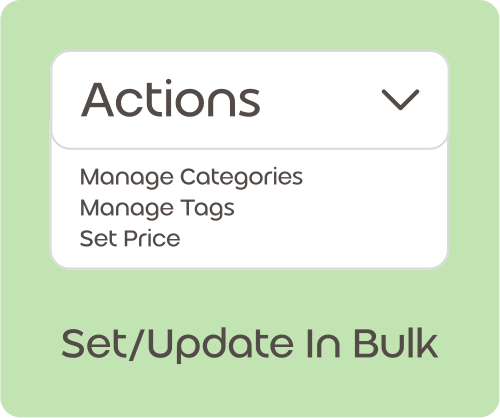
- Safe Bulk Price Updates
- Easy Variation Management
- Bulk SEO & Meta Writing
- Bulk FAQ writing for product pages
- No timeouts on large updates
Traditional bulk edit plugins strangle your database
Legacy WooCommerce bulk edit tools run heavy, complex queries directly on your WordPress server. When you try to update hundreds of products at once, your database locks up, the server runs out of memory, and your frontend checkout completely freezes – turning away buying customers.
Take absolute control of your catalog updates
Launch store-wide promotions, adjust seasonal inventory levels, and fix data errors across your entire layout with absolute confidence.
Instant updates that keep your storefront flying
WooDonkey pushes updates quietly in the background, ensuring your storefront remains lightning fast and completely unbothered by heavy backend administrative tasks.
Ready to experience effortless bulk editing?
Stop wrestling with clunky spreadsheet plugins and database bloat. Upgrade to WooDonkey today and get a beautiful, lightning-fast cloud editor for your store.
No credit card required. Cancel anytime.
FAQ
This helps you react faster to market changes or sales events, ensuring your pricing is always competitive. You can open a spreadsheet-style grid directly in your WooDonkey dashboard, where you see all your product prices listed. Simply type new prices into the cells for as many products as you need, then save your changes. This updates your entire catalog in moments, saving you from opening each product individually.
Efficient inventory management prevents stockouts and overselling, keeping your customers happy and sales flowing. You can view and adjust stock levels for all your products, including variations, within a single spreadsheet interface. Update quantities directly in the grid, or use a CSV file to import new stock numbers after making changes offline. This makes it simple to keep your online store’s inventory accurate and up to date.
Yes, you can save significant time by updating multiple product attributes simultaneously, rather than one by one. The spreadsheet-style editor allows you to modify various product fields like prices, stock quantities, product descriptions, and categories for many items in a single view. This centralizes your editing process, making large-scale catalog updates much more efficient and less prone to errors.
Managing variations efficiently ensures your customers always see accurate options and availability, improving their shopping experience. The spreadsheet interface allows you to view and edit individual stock levels for each product variation. You can adjust prices, stock, and other attributes for specific sizes, colors, or styles directly in the grid. This detailed control helps you keep your variable products perfectly organized.
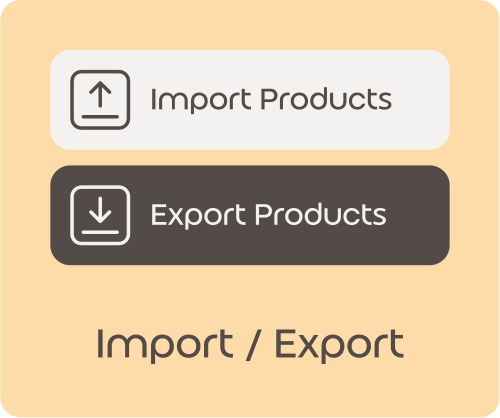
Exporting your product data gives you flexibility to make extensive changes using familiar spreadsheet software, then bring them back to your store. You can easily export your entire product catalog into a CSV file. Make all your desired edits to prices, stock, and other details in your preferred spreadsheet program. Then, re-import the updated CSV, and your store will reflect all your changes.
Importing updated data quickly ensures your store reflects the latest product details without manual entry, saving you hours of work. After editing your product data in a CSV file, you can import that file back into your WooDonkey dashboard. The system matches products by SKU or ID, applying all your changes automatically. This streamlined process makes large catalog updates fast and accurate.
Duplicating products saves you considerable time and effort when adding similar items, letting you expand your catalog faster. You can easily duplicate any existing product with a few clicks. This creates a new product with all the original details, which you can then quickly modify in the spreadsheet editor. It’s perfect for creating new color options or slight variations without starting from scratch.
Yes, updating descriptions and categories in bulk helps maintain consistent branding and improves product discoverability across your store. The spreadsheet-style grid allows you to edit these text fields for multiple products at once. You can quickly standardize descriptions, assign products to new categories, or refine existing ones. This makes managing your product content much more efficient than editing each item individually.
This significantly reduces the time you spend on routine product management, allowing you to focus on growing your business. Instead of opening and saving each product page individually, you can make dozens or even hundreds of changes in a single spreadsheet view. This consolidates your workflow, turning hours of manual work into minutes of focused editing within your WooDonkey dashboard.
Yes, you can launch sales and promotions much faster, ensuring your special offers are live when you need them to be. The spreadsheet interface lets you instantly adjust prices for a selected group of products. Simply type in the new sale prices directly into the grid cells. This allows you to set up store-wide or category-specific sales rapidly, maximizing your promotional opportunities.